





Can You Download the Pulsar Game APK in the Casino Plus App?
Can You Download the Pulsar Game APK in the Casino Plus App?
If you’re wondering whether you can download a separate Pulsar Game APK, here’s the short answer: you don’t need one. Pulsar Slot is already built right into the Casino Plus app, which means:
- You can launch Pulsar instantly once you’re logged in.
- No extra APK downloads are needed for Android or any other device.
- Trying to find third-party APKs isn’t just unnecessary—it could also put your device at risk.
Why There Isn’t a Separate Pulsar Game APK
Pulsar is part of the Casino Plus platform, so there’s no need for a standalone file. Licensed online casinos like Casino Plus host games on their own servers to ensure safety, fairness, and compliance with regulators such as PAGCOR. Offering separate APKs could compromise security and break licensing rules with developers like RTG.
Security and Licensing Matters
Casino Plus Games are fully regulated to guarantee fair play. Downloading external APKs could expose your device to malware or hacking, which is why RTG and Casino Plus don’t support them. By playing directly on the platform, your account, funds, and personal information stay safe.
How Casino Plus Delivers Games
Once you’ve installed the official Casino Plus app or opened it in a mobile browser, you can:
- Browse RTG games like Pulsar in the game lobby.
- Launch the slot instantly, no extra downloads required.
- Enjoy automatic updates and smooth gameplay every time you play.
How to Play Pulsar Slot on Android With Casino Plus
Step‑by‑Step Guide
- Download the official Casino Plus app from the authorized website.
- Create your account and verify it using your mobile number and valid ID.
- Add funds to your wallet using the official Casino Plus options.
- Open the “Games” lobby, select RTG as the provider, and search for “Pulsar Slot.”
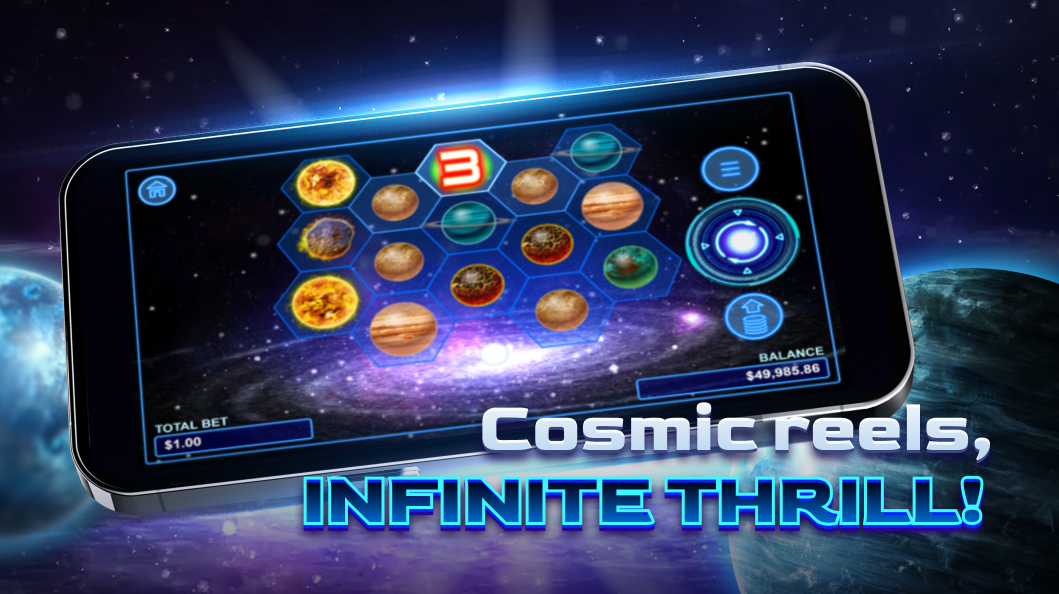
- Tap to start the game and enjoy spinning the 5×20 cosmic reels.
About Pulsar Slot — RTG’s Cosmic Adventure
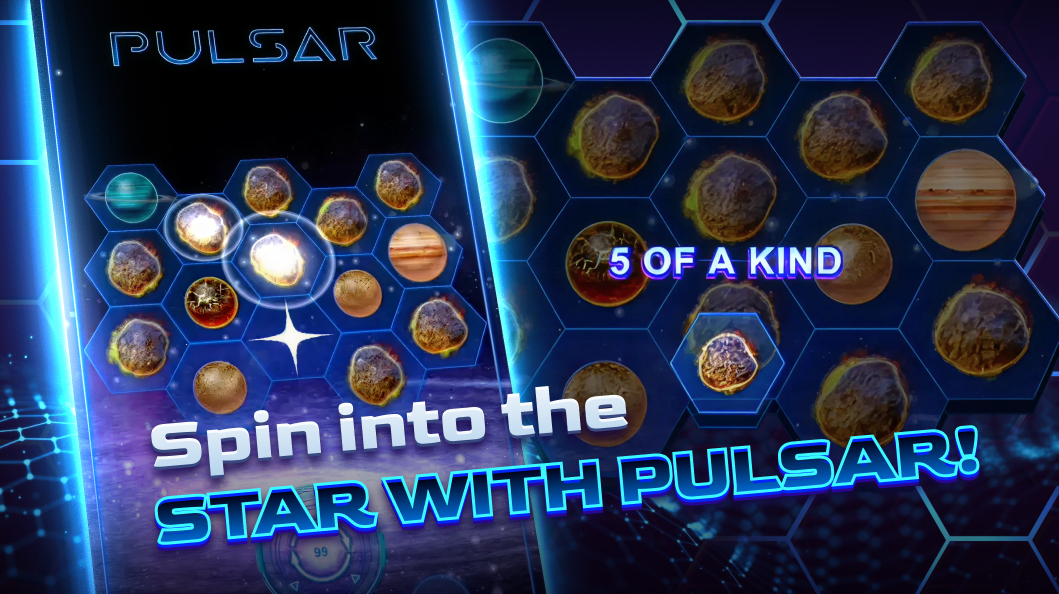
Pulsar Slot takes you on a fun space-themed journey with cascading wins and exciting Neutron Star features. Its 3×5 grid with 20 fixed paylines keeps the gameplay dynamic, and every spin could trigger chain reactions that make each session unpredictable and thrilling.
Key Gameplay Highlights
- Cascading Reels: Winning symbols disappear and make way for new ones, giving you multiple chances to win on a single spin.
- Neutron Stars: These special stars explode in unique patterns—horizontal, vertical, adjacent, or corner—adding excitement to every spin.
- Visuals & Sound: Stunning space graphics and a relaxing cosmic soundtrack make you feel like you’re floating through the galaxy.
Responsible Gaming with Casino Plus
Pulsar can be incredibly fun, but it’s important to play responsibly. Here are a few tips:
- Set limits on both time and budget before you start spinning.
- Only play with money you can afford to lose.
- Take breaks to avoid burnout.
- Reach out to Casino Plus support or help hotlines if gambling starts to feel overwhelming.
Frequently Asked Questions
Q: Can I install the Pulsar Game APK on my Android device? A: No. Pulsar is built right into the Casino Plus app, so there’s no separate APK to download.
Q: Where can I play Pulsar Slot on mobile? A: You can play it directly in the official Casino Plus app or through a supported mobile browser.
Q: Is Pulsar safe to play on Casino Plus? A: Yes. Casino Plus is fully licensed and regulated, and RTG ensures the game is fair.
Q: Do I need to pay extra to play Pulsar on Casino Plus? A: No. As long as your account is active and funded, you can start playing right away.
Need a break on your Space Journey? Then answer the call of the Lucky Neko Casino and see if it gives you a boosted luck!
Ready to Play?
Since there’s no separate Pulsar Game APK to worry about, the easiest way to enjoy this cosmic slot adventure is by using the official Casino Plus app. Log in, launch Pulsar, and spin responsibly—you never know where your next stellar win could take you!
Keywords
Pulsar game apk